

Music lovers, look no further. If you are looking for the best Android music player apps then we have the best possible selection for you. Today, almost all smartphones come with cutting-edge tech and can do wonders with the media. All your entertainment in the form of music, movies, books, and comics are taken care of.
18 Best Android Music Player Apps That Blow Away Android Stock Music Apps
To cater to your likes and dislikes there are also a great number of stock apps that are reasonably competent. Similarly, there are a few specialized music player apps that can blow the stock apps out of the water. Check out our list of best Android music player apps that will offer a smoother and richer musical experience.
1. AIMP
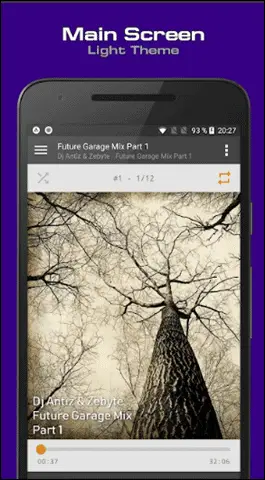
Heading the list with AIMP as it is among the most powerful and the best Android music player apps that supports almost all the major file types like *.ape; *.mpga; *.mp3; *.wav; and *.ogg.
It has an interesting interface with choices of both light and dark themes. These are supported with some very nice custom and hue themes. You can pick a song from your playlist and make it into your ringtone.
The other features include its ability to crossfade tracks, switching the tracks via volume buttons, and searching for files in filtering mode. It is ad-free and you can also opt for its desktop version.
USP:
- Supports both mobile and desktop.
- Simple UI and controls.
- Internet radio and HTTP live-streaming.
Price: Free
2. Black Player – One of the Best Android Music Players
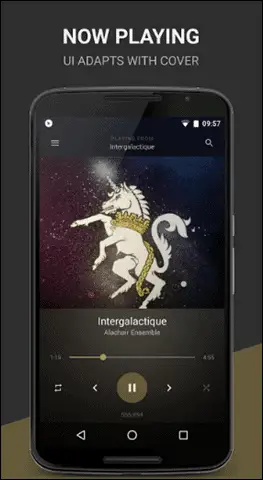
The BlackPlayer is a simple Android music player that connects you to your music quite well. It comes with 5 band Equalizer, Bass Boost, 3D Surround Virtualizer and Amplifier that can give you a great sound.
The ID3 tag editor, customizable themes, crossfading make this best Android music player app worth a try. The UI is kept simple and easy-to-use.
USP
- Simple and easy-to-use UI.
- Keeps the track of your songs accurately.
Price: Free and Paid
3. JetAudio HD Music App
You cannot miss JetAudio player if you really like to quickly transition between your tracks that suit your mood. JetAudio music player bundles 10/20 bands equalizer and multiple sound effects.
Along with supporting all the major file types, it can play music via Wi-Fi from shared folders on the local home network. It’s good to use the free version if you are ready to handle a few ads and don’t need more themes. It stands out and is one of the best Android music player apps.
USP:
- Variety of audio enhancement features.
- Customizable music experience.
- Comes with 32 equalizers presets.
Price: Free and Paid
4. MediaMonkey Music App
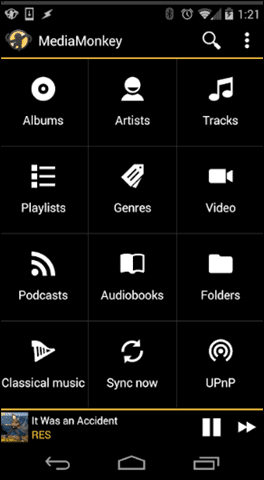
MediaMonkey can sync your large music files from computer to your phone (also phone to computer) via Wi-Fi. Also, it is more of an official app that supports Audiobooks and Podcasts.
You can bookmark large files if you have some heavy Audiobooks and videos. MediaMonkey is a must-have if you need some serious music experience. Undoubtedly it is one of the best Android music player apps that can manage, sync and navigate a large music collection without a hitch.
USP:
- Handles large music collection.
- Supports Audiobooks and Podcasts.
5. Musicolet Music Player
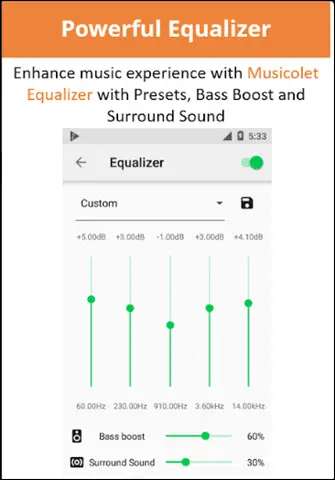
It wouldn’t be fair if we missed out on mentioning Musicolet in the list of our top Android music players. The app is lightweight and supports multiple queues that are rare in music player apps.
If you love minimalism with easy navigation, Musicolet is for you. What you will truly like about this player is its offline feature. It has tag editors, sleep timers, beautiful widgets, stunning themes, no ads. The added benefit is that its free.
USP:
- Lightweight and minimalist design.
- Works offline.
Price: Free
6. Neutron Music Player
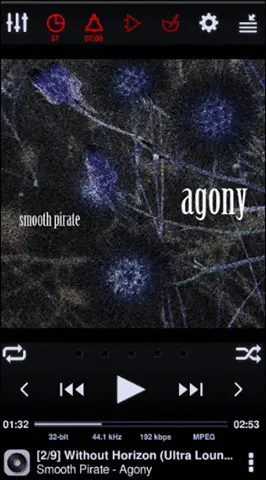
The Neutron Music player may not be as popular as others on the list, but once you know what all it has to offer, you are definitely going to admire it. Its close-to-metal 32/64-bit engine is the one that makes it possible for you to experience Hi-Fi grade quality of sound.
The UI comes with advanced features that are not easy to handle for music lovers. These options have been added for the audiophiles. Normal settings are good enough for the average listener, but if you are an avid music lover, you’d love to tinker with it’s settings to get that perfect sound for you. The decoding and audio processing of Neutron is OS and platform-independent.
USP:
- Independent of the platform and OS.
- Supports some rare file formats like Flac, MPC
Download Neutron Music Player here
7. Phonograph Music App
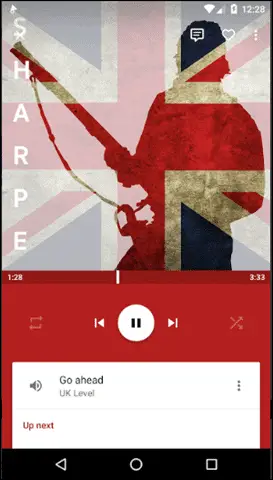
Phonograph is a new Android music player app that is lightweight and comes with a simple user interface. It also ensures an awesome music experience.
The UI is so clean and straightforward that you don’t get overblown with menus that may confuse you. It automatically provides trivia like the additional information about the artists, like their images or biographies -which makes listening to music even more fun.
You can edit the tags like title, artist and album name easily by using the tag editor.
USP:
- Lightweight and easy-to-use.
- Comes with Last.fm integration.
Download Phonograph Music Player here
8. The PlayerPro Music App
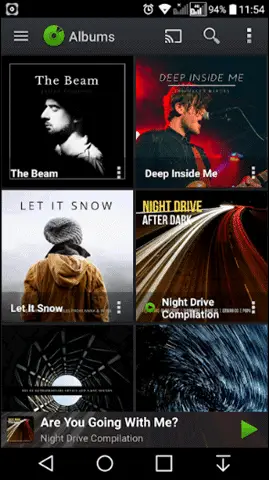
Playerpro is both music and video player, although we will only consider the audio features of this app in this description. Apart from having an elegant interface, it has a powerful audio integration option. You can add the extra plugins to complement the experience like Skin, DSP Pack, etc.
Defining itself as an advanced music player app for Android, it renders free additional professional DSP plugin. You get the choice of two lock screen widgets and 5 home screen widgets to enhance your music player.
Other features include a sleep timer, headset support, voice search, Google Assistant and much more.
USP:
- Chromecast and Android Auto support.
- High-Res audio (up to 32-bit, 384kHz).
9. Poweramp Music Player
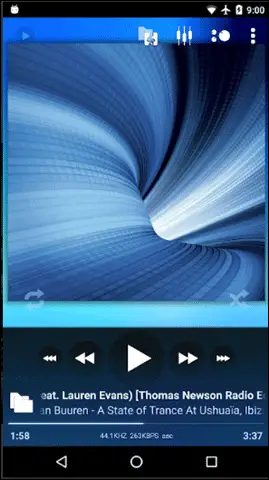
Poweramp as one of the best Android music player apps plays all the popular formats and comes with 10 bands optimized graphical equalizer.
The separate Bass and Treble Adjustment is great and complements your music experience. Other features include crossfade, replay again, dynamic queue, tag editor, and configurable lock screen.
Most music lovers swear by this app as their favorite one.
USP:
- Good looking and intuitive interface.
- Multiple themes to choose from. Download more themes from the Google Play Store.
Price: Free and Paid
Download PowerAmp Music Player here
10. Pulsar Music Player
Pulsar Music Player is another awesome music player app for Android that has stunning interface and material design guidelines.
If you have musical needs like gapless playback, lyrics display, crossfade, tag editing, Chromecast, and voice command, Pulsar Music is all that you should look for.
You may find it having those very sophisticated features, but its simplicity, elegance and ad-free feature will make you the happiest.
USP:
- Lightweight and supports Android Auto.
- Good looking with all the essential features.
Price: Free and Paid
Download Pulsar Music Player here
11. Google Play Music
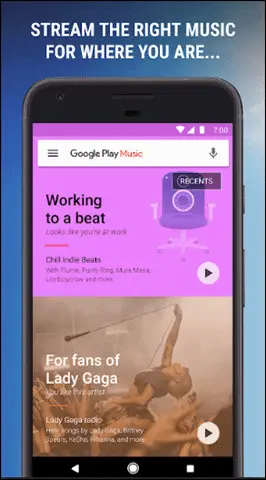
Google Music is a very cool app that we would recommend with a fairly serious caveat. This app is great for people who have uploaded their collection to the cloud.
What is special about the Google Music app for Android (and iOS, actually) is the streaming part. The app links up with your Google Music account and streams your music collection from the cloud down to your phone. It’s the Google version of iCloud.
The service works fairly well. There is a moderate pause upon loading the first song, but after that, the streaming is lag-free even over 3G. The next song loads while the current one is playing so everything is pretty smooth.
Google Music offers the option to download certain songs from your library for offline listening.
USP:
- Streams music quite well.
- Smooth flow, clean UI with no unnecessary features.
Price: Free and Paid
Download Google Play Music here
12. doubleTwist Music & Podcast Player
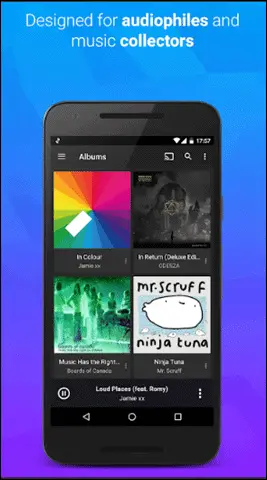
doubleTwist is a music player and podcast manager with music sync functionality. It is free to download without trial version and deliberately works on the users’ feedback.
Along with supporting Chromecast, AirPlay, and DLNA, it bundles the common features including gapless playback, album art search, and sleep timer too. Although it’s free, it makes money by the optional in-app upgrade that unlocks some premium features.
If you like the concept of talk radio and love listening to podcasts, you can also try out the various Android podcast apps.
USP:
- Allows you Airplay music from your Android with AirSync (paid version only).
- Constant update based on the users’ feedback.
Price: Free and Paid
Download doubleTwist Music Player here
13. Pi Music Player
Powerful, gracious, elegant, high-rated, beautifully designed Pi music Player is the one that will amaze you with its excellent features. While the built-in Equalizer enhances music, the intuitive UI renders crisp and clean layout for the best user experience.
The browsing is easy with its Enhanced Folder view. Make your favorite song a ringtone with its ringtone cutter.
Other features include a sleep timer, widget support, 25 backgrounds, 4 themes, Audiobooks, and Podcasts support. The pi music player is one the best free Andriod music player apps and it is free with minimum ads.
USP:
- Stunning UI design.
- Incredible features like some of the best themes and seamless transitions and animations.
- Comes with Ringtone cutter.
Price: Free
14. n7player Music Player
When it comes to the best free Android music player apps, n7player gives a tough competition to others. It has the coolest, innovative and stylish ever user interface with some advanced features.
If you have never used a sophisticated music player before, no worries as n7player is very easy to use.
It supports all the popular formats including some rare ones like FLAC and OGG. Starting from arranging the playlists to customizing at its best, n7player covers all your musical needs for you.
USP:
- An intuitive player with full control over songs.
- Suits beginners who have not used an advanced music player app before.
- Supports formats like FLAC and OGG.
Price: Free
15. Shuttle Music Player
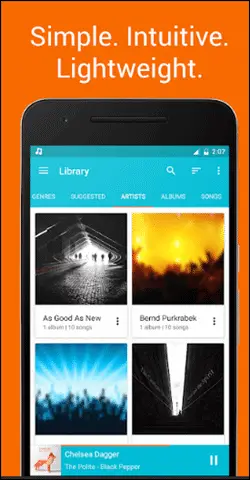
Shuttle Music Player is an open-source player and it is absolutely free to use. You have plenty of options to standardize your music experience including gapless playback, sleep timer, Last.fm scrobbling, customizable widgets, 6-band equalizer.
The shuttle is on the verge of being one of the best Android music player apps that knows how to balance the simple UI with sophisticated features. Although the free version gets all that you want, paid one adds ID3 tag editing, folder browsing, extra themes, and Chromecast support.
USP:
- Modern and Material Design.
- Open source with all the necessary features.
Price: Free
Download Shuttle Music Player here
16. Retro Music Player
Retro Music is one of the coolest looking music player apps for Android. The UI is simply unique and stunning where the design matches the material guidelines with iOS.
Easier navigation, colorful themes, gapless playback, tag editor, all this make this player a must-have app. The content is arranged nicely by sorting the library into songs, albums, artists, and playlists.
It may not be the best music player app for Android but definitely gives you a unique and fresh experience.
USP:
- Unique user interface and material guidelines with iOS in mind.
- Carousel effect for an album cover and corner edges like Pixel 2 XL.
Price: Free
Download Retro Music Player here
17. Rocket Music Player
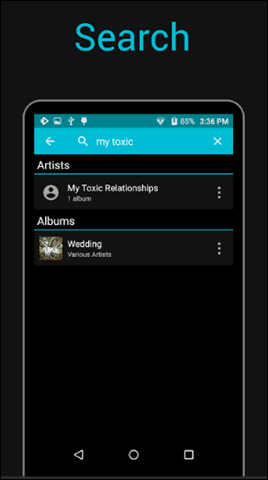
The Rocket music player is a tiny but powerful music player that is embedded with all the required features that fulfill a music lover’s need. Definitely, amongst the best Android music player apps, the highlighted features include 10 bands graphic equalizer, tag editing, Chromecast support, Android Auto support, Scrobbling support, 30+ themes.
You can integrate it with iSyncr for metadata syncing back to iTunes.
USP:
- Supports multiple formats.
- Comes with Podcasts Bookmarks.
Price: Free
Download Rocket Music Player here
18. Pixel Music Player
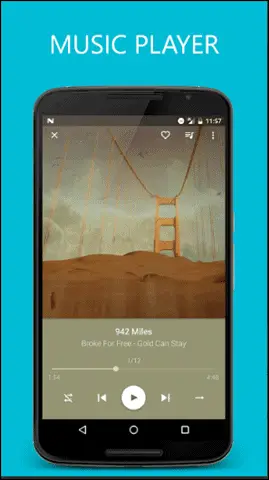
The Pixel Music player is beautifully crafted with Material Design accompanying some advanced and powerful features. One of the best Android music player apps for music, Radio, and Podcast, Pixel is a gem where it plays multiple roles including a video player as well.
The features include the built-in 5 bands Equalizer, Bass Boost, customizable player colors, folder view, and headset button controls. Pixel is free to use with some ads supported.
Download Pixel Music Player here
USP:
- All in one solution for music, radio, podcast, and videos.
- 3D sounds support with many equalizers presets.
Price: Free
Conclusion
The default Android music player is not always adequate to survive music lovers expectations. If you are looking for the best Android music player apps to stand out in the crowd we hope you have found it in the above list. And for those who love to create some breathtaking and vibrant visuals along with listening to music, you can try the music visualizer tools.
(Updated on 15th March 2021)


