

All Android users face an extensive collection of files on their devices over time, which often becomes unmanageable. With Android file manager apps, you can easily manage your files, save space on your device, and get them organized. So, most users lookout for the best file manager for Android to suit their needs.
With these apps, not only can you find any file within seconds, but you can also avail the file sharing option to transfer large files. Many file explorer apps offer features that range from simple functions to elaborate actions to make your filing and retrieving system easier to handle. Some focus on your data’s privacy and security, and others boast excellent search and file transfer functions.
15 Best File Manager for Android To Organize Your Files
We have focused on a range of Android file managers who can manage local data and network or cloud storage. Some of these are aimed at mid-range devices, and others work well on the newer, more powerful mobile devices. So, let’s check out the best file manager for Android smartphones and devices.
1. Maple Media File Manager
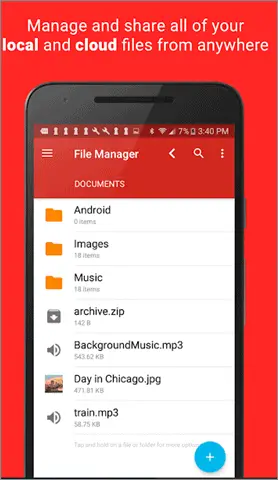
Maple Media’s File Manager is a fully-featured file explorer that helps you manage your Android files with some useful features. One of the best file managers for Android devices, you can assign custom colors to this file manager app to make sure it’s easy to distinguish the files.
It supports cloud storage and has access to Google Drive, Dropbox, Onedrive, Amazon, and Facebook memories, all in a single app. You can transfer any content, copy and paste, compress, extract ZIP, RAR, BIN, TAR, and APK files and unzip or delete the files. You can also listen to and manage mp3 files, music, and ringtones with this best Android file manager app.
Download Maple Media File Manager
2. Ghost Commander
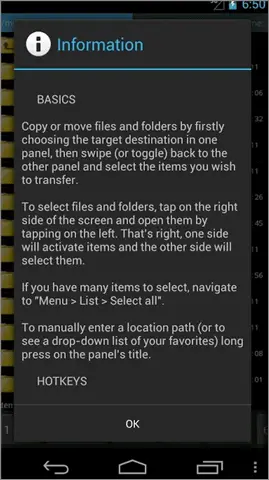
This app is one of the best Android file managers available on the Google Play Store. It has a unique dual-pane view. The user interface offers flexibility to copy and move files from one panel to another with ease.
The Ghost Commander management app is fully customizable and allows you to sort files by name, extension, size, or date. As the best file manager for android, it will enable users to also change file owner and permissions (in root mode) and make shortcuts for internal storage folders and locations. It supports the ZIP archive, in which you can create and extract a ZIP file and even view it without extracting it.
3. Amaze File Manager
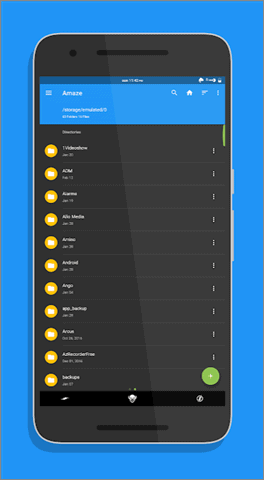
Amaze File Manager is a lightweight and simple file manager app with a clean interface. It is apt for those looking for a basic file manager app with all the necessary features.
The features include cloud services support, inbuilt database reader, ZIP/RAR reader, Apk reader, text reader, multiple themes with beautiful icons, much more for your android device. For advanced users, Amaze File Manager comes with a Root Folder. It also has other essential features such as copy, paste, compress, delete file, and transfer files.
4. Files By Google
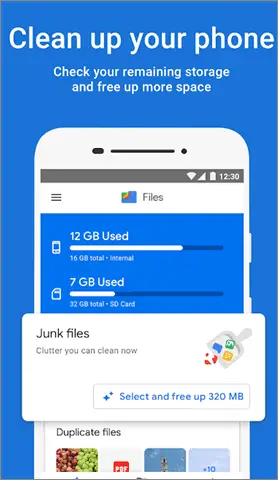
Files by Google is the best file manager for Android and a great option to go with if you want to receive accurate recommendations on managing files on your smartphone/android device. The basic feature of the Google file manager includes search, access, save, move, share and delete file. You can also transfer files on a mobile device.
As the best file manager for android, the WPA2 encryption method ensures you have a safe process in place to share and transfer files. Users can also back up the sensitive files on the SD card or the cloud storage account if they run out of space on the phone’s internal storage and memory.
The user interface is excellent, and as an Android user, you can also check the storage quickly and control file management on the phone.
5. ES File Explorer
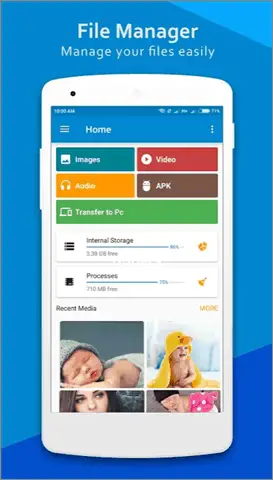
ES File Explorer has been around for a long time and is the oldest and the most simple file manager for Android. Although it is popular, the free version of the ES file manager is loaded with tons of features that tend to slow down the system and occupy a lot of memory space.
As the best file manager for Android, it is more beneficial for devices that pack a powerful processor and come with a decent in-built internal storage and memory. It also allows file compression. However, if you want to use the ES File Explorer, we recommend going for the paid version. ES File Explorer Pro is ad-free with the option of customizing the file manager. The ES file manager app lets the Android user categorize, uninstall, back up, create shortcuts, or delete files in a jiffy.
6. File Manager Plus
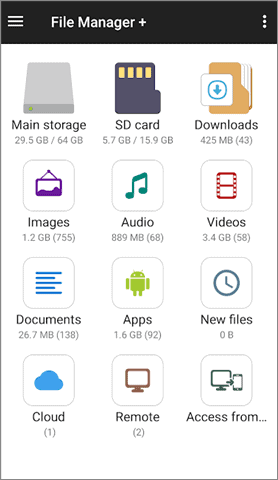
The File Manager Plus has an excellent user interface and is packed with powerful Android file management features. From managing files and folders in your device to NAS, and cloud storage service (Dropbox and Google Drive), you can do a lot with this file manager for Android. The app manager has essential features such as open, search, navigate directory, copy and paste, cut, delete file, rename compress, and decompress files.
As the best file manager for android, File Manager Plus supports all popular audio, videos, and documents. You can even access your Android device storage from your PC and manage files and folders, making it even easier for any Android user.
7. MK Explorer
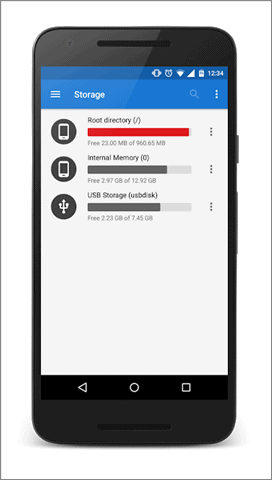
MK Explorer is another simple file manager for Android that comes with many features. It works best if you are looking for a file browser app with essential features and want something that won’t eat up space or processor resources on your device.
MK Explorer’s valuable features include material design, copy, paste, move, keyboard shortcuts, a powerful search function for files, file compression ability, and root access. However, there is no option of cloud storage service or network storage to access files. Users can also extract ZIP files and RAR archives.
MK Explorer also has its built-in music player, text editor and supports more than 20 languages.
8. Root Explorer
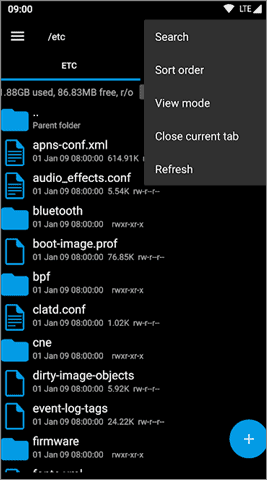
Root Explorer is for an Android user looking for the best Android file manager for a rooted device. You can access the entire Android file system with this Android app.
Features include Google Drive, Dropbox, Box, network (SMB) support, SQLite database viewer, text editor, etc. Since Root Explorer gets regular updates, you will constantly get new and enhanced features.
You can extract a zip file or tar/gzip files using this file browser app. The additional features include APK binary XML viewer, and you can change the file owner and group.
9. The Solid Explorer
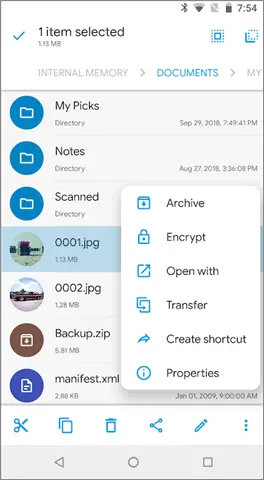
Solid Explorer is quite popular among its users for its brilliant features. The file management app has a material design and comes with dual independent panels that serve as file browsers.
Along with reading and extracting ZIP, 7ZIP, RAR., and TAR archives, you can also password protect a ZIP file and 7ZIP archives. Solid Explorer is a great option to maintain your data privacy on a mobile device and manage files.
The root access makes this file manager a functional root explorer. You can also connect with a Cloud storage account like Google Drive, OneDrive, Dropbox, SugarSync, etc. Solid Explorer has useful tools with which you can hide unwanted folders, FTP server (plugin), bookmarks, Chromecast support, etc.
Download Solid Explorer File Manager
10. Tetra Filer
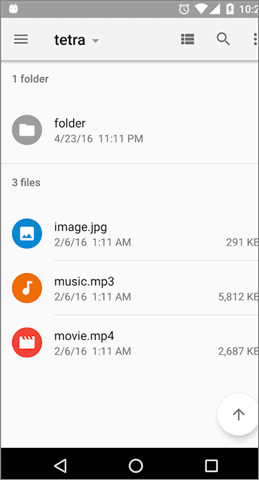
Tetra Filer is a simple and lightweight file manager app with all the essential internal storage file management features. The features include list view, cut-copy-paste option, folder creation, bookmarks, sorting, sharing, and thumbnail view.
The premium version of Tetra Filer file system has additional features that include beautiful dark themes. It also shows all the hidden files on the mobile device, which helps users get a better understanding.
11. Total Commander
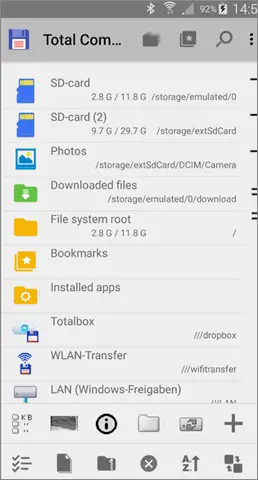
Total Commander is a free file manager for the Android smartphone. Also, it is the Android app version of the desktop file manager Total Commander.
Highly rated, completely free with no ads or in-app purchases, the best file manager for Android has tons of features. It includes basic ones like copy-paste, move files, drag and drop, file transfer via Bluetooth, delete, zip and unzip, unrar, built-in text editor, etc. It has a built-in text editor and plugins for cloud storage service.
12. X-Plore File Manager
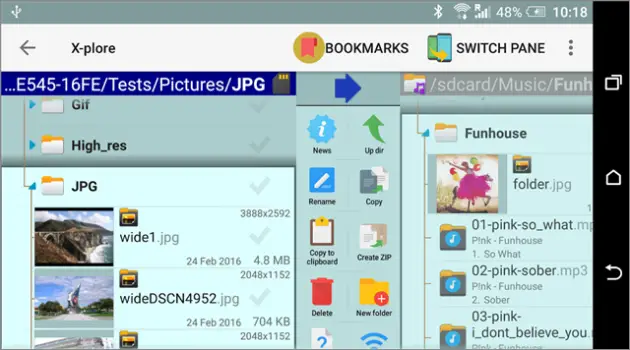
X-Plore File Manager is an excellent file manager. There is a dual-pane tree view for your convenience for file compression and while handling files. Also, a disk map shows which files consume the most space on your network storage.
X Plore File Manager supports a cloud storage account and allows you to manage files on your Android device from a PC. The app manager has its music player, PDF viewer, video player with subtitles, file system, Hex viewer, fast image viewer with zoom along with slide feature, and much more.
The X Plore file manager supports access to the FTP server and FTPS (secure FTP server). With the Vault function, you can encrypt sensitive files with your fingerprint.
13. Astro File Manager
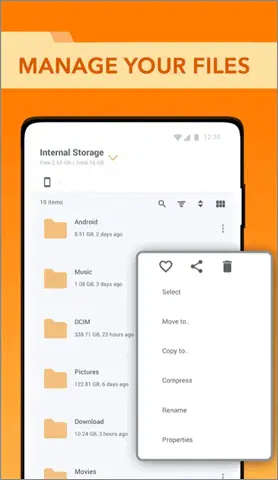
ASTRO File Manager is yet another great storage organizer and cleaner when managing files on your Android smartphone. With more than 150 million users globally, the user interface is easy to understand, plus it is free with no advertising which makes it the best file manager for Android.
With the Cloud Hopping feature, you can move files between cloud storage with a single click. Users can also manage the various folder/s effectively with this android file organizer and network storage app. You can copy, paste, share and rename files on internal storage, SD card, and cloud space.
It has a download manager with which you can download and open files from the web and move them to a different folder. You can also expand the phone memory, organize internal storage files and manage your cloud storage account.
14. Cx File Explorer
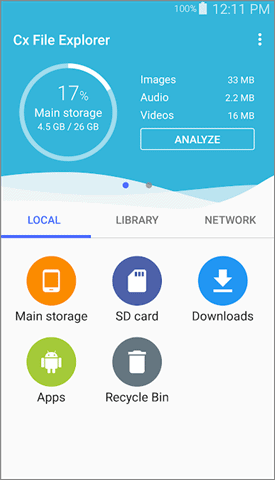
Cx File Explorer is powerful and has got a massive potential to be your choice as the best file manager for Android. The Android app helps you manage files and folder/s on a mobile device, tablet, PC, or cloud storage account. The Android file management helps users locate their target files quickly and with ease with its inbuilt search function.
You can also use Cx File Explorer to access SFTP, LAN, FTPS, and WebDAV, and FTP server. It has a clean user interface, and the features are easily accessible with a simple swipe on the screen. The Cx Explorer Android smartphone app comes with an ultra-fast and resumable file downloader. It can help you manage and clean up your external SD card with some powerful features.
15. Moto File Manager
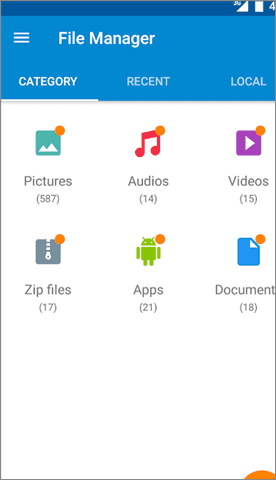
With Moto File Manager, you can organize files stored on your mobile device or your micro SD card. The best file manager for Android, Moto File Manager, also acts as a file browser app, allowing you to browse files by category directly from the home screen.
The essential features of Moto File Manager include copy, move, rename, delete, compress and decompress ZIP files, create an encrypted ZIP file, and share files. The global search allows you to search in all folder/s and files of the device.
16. Mi File Manager
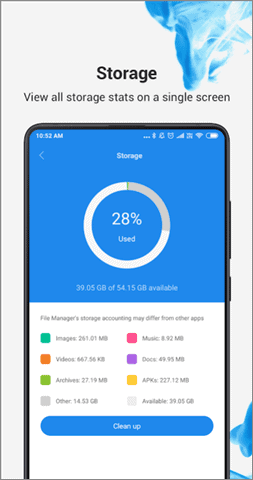
Mi File Manager is one of the safest file managers out there on the Play Store. It has a relatively easy user interface; you can easily search for your files and carry out common activities like renaming files, copying, pasting, and moving them.
Mi File Manager also identifies different file types like apk file, videos, images, music, documents, and many more. Users can categorize their files and also view their storage stats in this file manager. There is a free storage space cleaner that will help you eliminate all the junk files and cache on your phone.
Mi File Manager can be accessed in different languages, and you can also compress files to save space.
Conclusion
With these great Android file explorer apps, it is pretty easy to manage and organize your files and folders on the go. Some of these are good for people who use an external SD card for storage; others aim to use network or cloud storage.
We have listed the best file manager for Android along with the latest applications that will help you organize and manage your files effortlessly. You can try out ES file manager, or MI file manager, along with multiple other apps. This will help you zero in on the one that works the best for you. The best file manager for Android differs according to the specific requirements of users.
(Article Updated on 14 April 2021)


