USB Type C cable is all set to replace Micro USB and become an entirely new standard for charging devices and transferring files. Most of the well-known manufacturers are supporting this technology and also producing the best USB C cable. Type C cable will eventually replace all the previous USB types, including micro USB Type A and Type B.
USB Type C cable will be the standalone medium for charging and sync devices. It is specifically designed to render an upgraded USB connector with much more file transfer speed and charging capacity.
Let us first understand what type C is and what makes them superior to micro USB.
Type C USB Cable: What makes them Different from Micro USB
USB-C cable is a game-changer with a promising technology when you want speed and ease at the same time.
Universal Nature:
The benchmark set by USB Type C cable is its universal nature. The most prominent offering from USB C cable is its reversible nature of connectivity. There is no specific way to insert USB C cable into devices, and there is no up and down orientation. So no matter which way you are putting the wire/cable, it will go correctly.
USB Power Delivery and Variety
Type C cable is not just limited to smartphones, tablets, laptops, and cameras. It has spread its wings by acquiring operating systems, including iOS, Android, Windows, and Google. USB-C cable can thus transfer data at speed up to 10Gbps, which is 20 times faster than USB 2.0.
USB Charging Speed
When it comes to USB Type C charging speed, with 3 amps of power and up to 100 watts capacity, it can charge anything from laptops to printers to high-resolution monitors.
Are all USB C cables the Same?
Although USB-C cables are all set to replace all the USBs from the past, not all are the same. They support different protocols and transfer speeds. Although the shape and type of connectors are the same for all USB-C cables, they differ in functionality.
Using a cheap and low-quality cable can cause your laptop to sink. Cheap cables will damage the charger, the cable wire itself, and the computer too. For just transferring data, the generic type C cable will suffice, but when it comes to charging your device, you need to think twice before buying a USB Type-C cable. Therefore, selecting the best USB C cable is essential.
Some cables are available at a low cost that you can use for data transfer. However, that will charge your device with the only 10Wh of power and is not sufficient for high-end devices like Apple MacBook and Google Chromebook Pixel 2.
Why Use USB C to USB C Cable
USB-C to USB-C cables is used to connect two USB C devices like the new Macbook and Chromebook Pixel. USB C to USB C cables is used only with devices that already have a built-in USB-C port.
For instance, by using a USB-C to USB-C cable, you can transfer an HD movie in just 30 seconds.
19 Best USB C Cable For Your Devices
As more devices make the switch to USB C, it is essential to have Type C cables to charge and transfer data. We have listed some of the best USB C cables for you to choose from.
1. AmazonBasics USB Type-C to USB-A Male
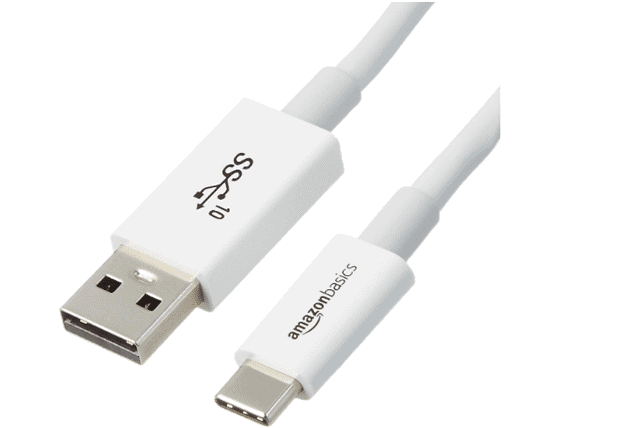
AmazonBasics USB Type-C to USB-A cable is useful when you want to transfer files from a USB-C device to a computer having a USB-A port. It is better in terms of its data transfer speed that is 10Gbps. With a one year warranty by Amazon, this cable is worth every penny, and the transfer from USB A to USB C is seamless.
It is USB-IF certified to be compliant with USB 3.1 Gen2 and backward compatible with USB 3.0 and 2.0. When you consider its size, it’s 3 ft long, which means that if small cables are your focus, this one suits perfectly.
Transfer Rate: 10Gbps
Power: 3-amp and 6-watt charging
Length: 2.6 x 0.3 x 3.5 inches
[amazon box=”B01GGKYS6E” button template=”list”]2. ANKER POWERLINE USB-C TO USB 3.0 CABLE
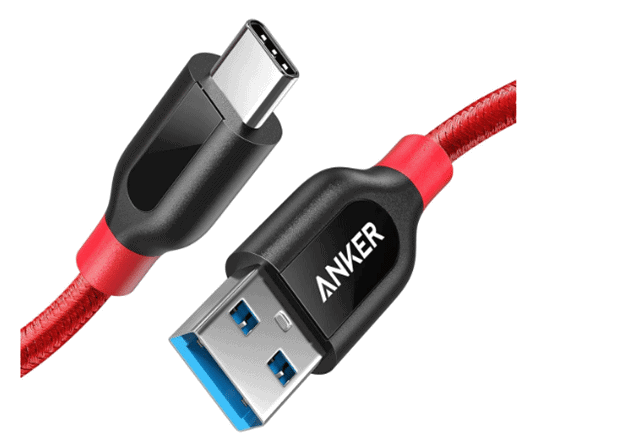
Anker Powerline is the best USB C cable to connect a device that has a type C port to a computer that has a standard USB port. The double-braided nylon exterior and toughened aramid fiber core ensure its reliability.
It provides seamless connectivity that lasts five times longer than other cables with a data transfer speed of 5Gbps. It can charge your devices at a high rate but is limited to devices like Nexus 5X or 6P or Google Pixel XL. You can, thus, minimize the gap between a USB-C and non-USB C device using the Anker Powerline cable.
Transfer Rate: 5Gbps
Power: 240 Volts
Length: 90 x 1.2 x 0.7 cm
[amazon box=”B01GN0M6NE” button template=”list”]3. GOOGLE USB-C TO USB-C CABLE
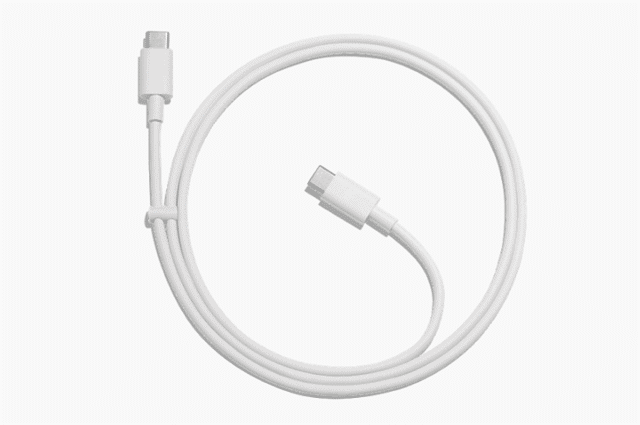
Google USB-C to USB-C cable is designed for USB type C enabled devices. It comes in two length options 1m and 2m so that you can opt for the reach that you need. Powerful and quick, it has a data transfer speed of 480Mbps. You can charge your devices with 3 Amps power supply. However, the charge rate may vary depending on the specs of the power source and your device.
Transfer Rate: 480Mbps
Power: 3 Amps
Length: 1.0 m (3.2 ft) or 2.0 m (6.6 ft)
4. RAVPOWER C-TO-C CABLE
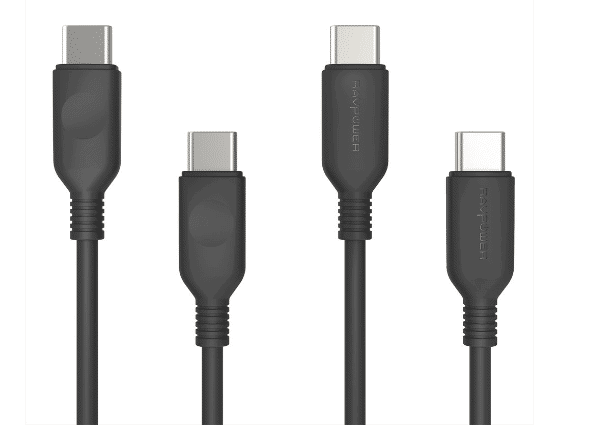
This cable surely gives you the best experience of charging and syncing between two devices. The USB Power Delivery integrated power cord charges devices up to 60W. Bend-tested more than 12000 times, RAVPower USB C to USB C Charger is of great value and is the best USB C cable.
It is a two-pack combo that comes with 3ft and 6 ft cables in both white and black colors. It is compatible with the latest MacBook Pro, Type-C enabled Windows and smartphones that support Type C technology.
Transfer Rate: Charging cable
Power: 60W
Length: 3 ft / 0.9 m and a 6 ft / 1.8 m
[amazon box=”B07545G3BV” button template=”list”]5. MOSHI INTEGRA USB-C CABLE
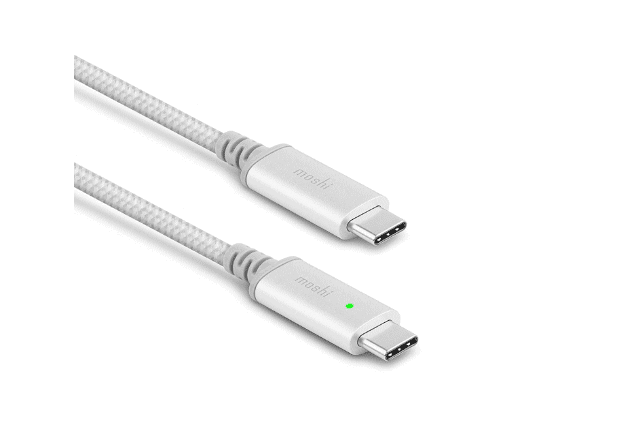
Moshi Integra USB C Cable attracts you with its stunning Smart LED support that allows you to see whether your device is charging or fully charged. If the indicator’s color is orange, it means that the device is charging, and if the color is green, your device is fully charged. The Integra Core Kevlar spine stands 10,000 bend cycles without any damage. Supporting USB PD 3.0, Moshi Integra USB-C charging cable charges devices up to 100 W.
The ballistic nylon braiding renders a superior abrasion and tangle resistance. High-Quality copper has been used to build this cable with a 50% high-performance DuPont Kevlar. You can now easily manage your cable with its Handy Strap Cable Manager.
Transfer Rate: Charging cable
Power: 100 W (20 V/ 5 A)
Length: 6.6 ft (2 m)
[amazon box=”B07CHJYPCC” button template=”list”]6. CHOETECH USB-C CABLE 6-PACK
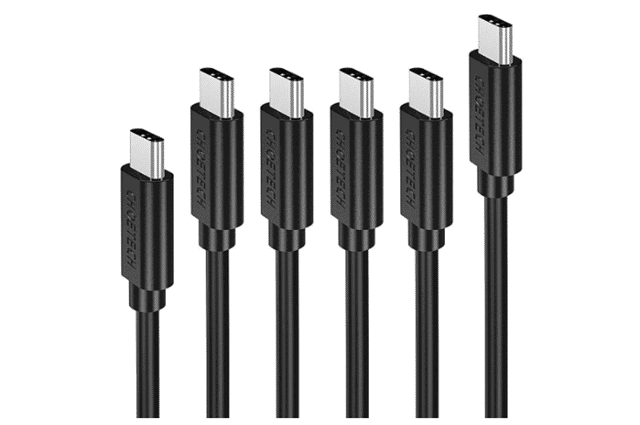
If you are looking for the best USB-C to USB-C cable for charging at a reasonable price, Choetech should be your pick. The Choetech pack of 6 cables includes one 1.6 ft, four 3.3ft, and one 6.6ft cable. The various lengths provide you the reach that you want, whether it is fast charging or syncing devices, no matter if you are at home or office.
You can expect data transfer speed of 480Mbps with a powder of 3A where the longer cable may charge a bit slower than others. Compatible with devices like MacBook 2016/2015, Google Pixel 2/2XL/Pixel/ XL/Nexus 5X/6P, and Lumia 950/ Nintendo switch, this pack of six is the best offering that you can expect from charging and syncing cables.
Transfer Rate: 480 Mbps
Power: 3A
Length: 6Pack; 1.6ft (1) 3.3ft (4) 6.6ft (1)
[amazon box=”B01MG36MBZ” button template=”list”]7. SATECHI USB-C TO USB-C CABLE
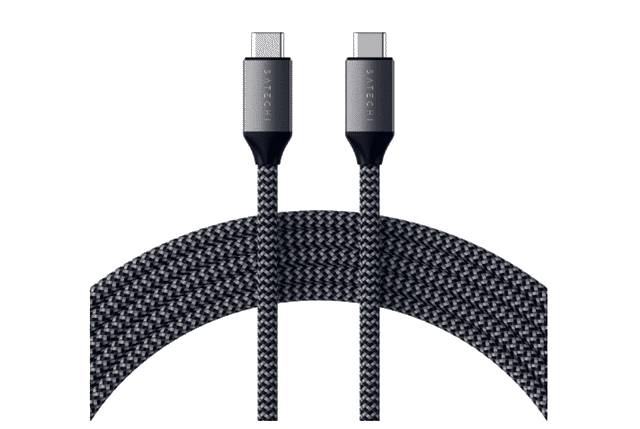
SATECHI USB-C TO USB-C CABLE comes with a data transfer speed of 480Mbps. The best USB C cable to charge devices since it supports USB C PD (Power Delivery) fast charging with a speed up to 100W. You can quickly sync and transfer data using SATECHI, but it does not support video output.
The premium braided nylon construction prevents the cable from any breakage, and the Velcro strap helps you wrap the wire nicely without tangles. It has excellent support for the latest devices, including the 2018 iPad Pro, 2018 MacBook Air, Galaxy Fold/S10, Nintendo Switch, and much more.
Transfer Rate: 480Mbps
Power: 100 W
Length: 6.5 Feet (2 Meters)
[amazon box=”B07PLL9784″ button template=”list”]8. CABLE MATTERS USB C TO A CABLE
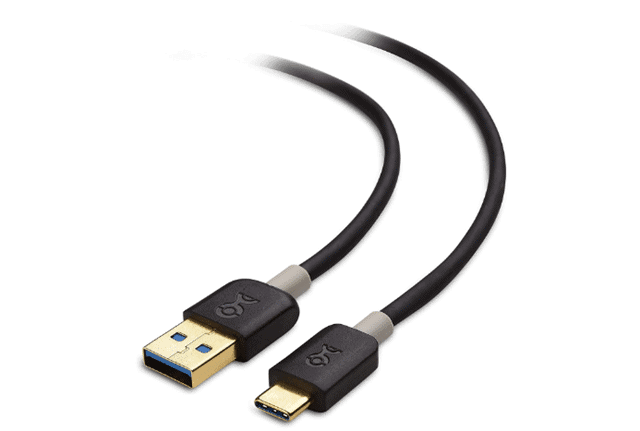
Cable Matters is the best USB C cable to USB A that helps you connect a computer, a wall charger, or any external power bank that has a USB A port to a device having USB C support. So, do not worry if you have a new machine with USB type-C support but you also have a computer or a charger cable with Type A, Cable matters have bridged the gap between USB A to USB C.
With a transfer speed up to 5Gbps, Cable matters USB C to USB A supports the latest USB 3.1 standard. Definitely, this is of excellent value when you have devices with USB A and USB C ports.
Transfer Rate: 5Gbps
Power: 5V/3A
Length: 3.3 feet
[amazon box=”B00YT688U0″ button template=”list”]9. BELKIN 3.1 USB-A TO USB-C
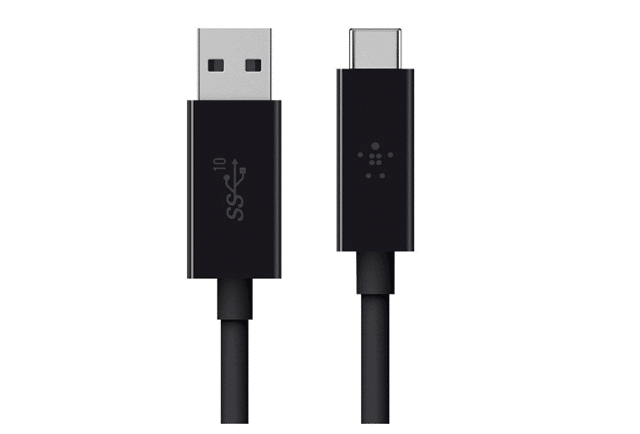
Belkin 3.1 USB A to USB C delivers power up to 3A for fast charging. The Type-A to Type-C connection by this cable is reversible means you can insert it using either way, and it fits correctly. It is designed to help you make a secure connection between USB-C enabled devices and gadgets having USB-A ports like laptops and hard drives.
Offering a data transfer rate of 10Gbps, with Belkin, you get the fastest file exchange between your devices. The 3ft long cable is perfect when you want the best USB C cable at a reasonable rate along with high specifications.
Transfer Rate: 10Gbps
Power: 3A charging input
Length: 3 ft
[amazon box=”B00WJSPB5A” button template=”list”]10. NEKTECK USB TYPE-C CABLE
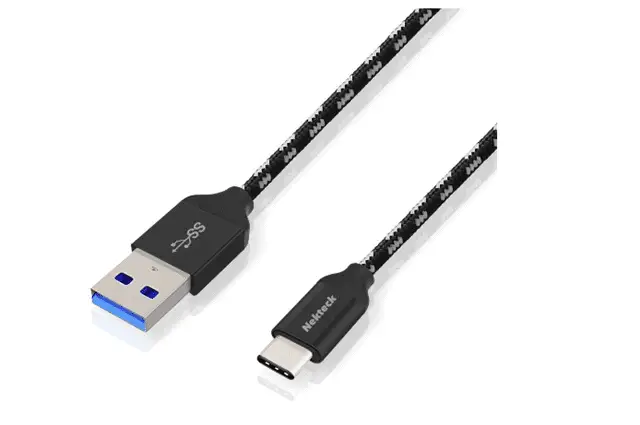
The Nylon Braided USB C to USB A cable is compatible with tablets and smartphones that have USB Type-C connector. It’s 3.3 ft long and designed to charge and sync while in use. You can charge up your devices with its 3A power.
The reversible connector sets you free from the concern of plugging the charger upside down. It offers 5Gbps of data transfer rate and is tangle-free with superior toughness. The reinforced aluminum shielding adds extra durability to the cable that lasts longer.
Transfer Rate: 5Gbps
Power: 3A
Length: 3.3ft/1m
[amazon box=”B016CYJCRE” button template=”list”]11. Anker USB C to Lightning Cable
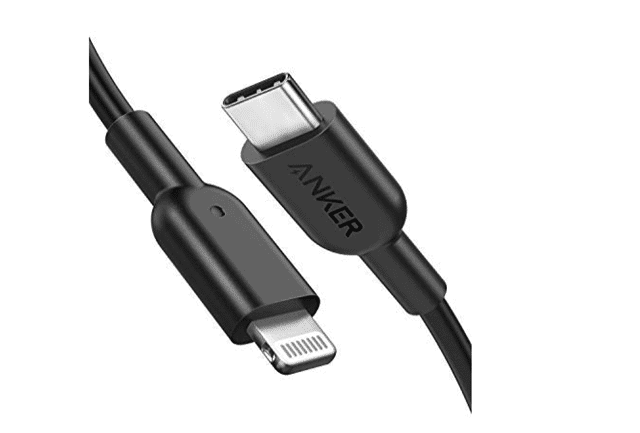
Anker USB C to Lightning Cable is the best USB C cable that ensures the best power delivery that can charge your device up to 50% in half an hour. Now it’s much easier to connect the iPhone, iPad, or iPod with Lightning connector to USB-C or Thunderbolt 3 enabled Mac and iPad Pro. It lasts 12 times longer than other cables and has passed through 12000 bends.
The MFI certified cable has gone through strict quality testing that assures you while charging your Apple devices safely. It has universal compatibility and is 2.5 times faster than stock lighting technology.
Transfer Rate: 480Mbps
Power: Supports High-Speed Charging with USB-C Power Delivery including Apple 18W 29W, 30W, 61W, or 87W USB-C Power Adapter
Length: 3ft
[amazon box=”B07H24PJGP” button template=”list”]12. Anker Powerline II 3-in-1 Cable
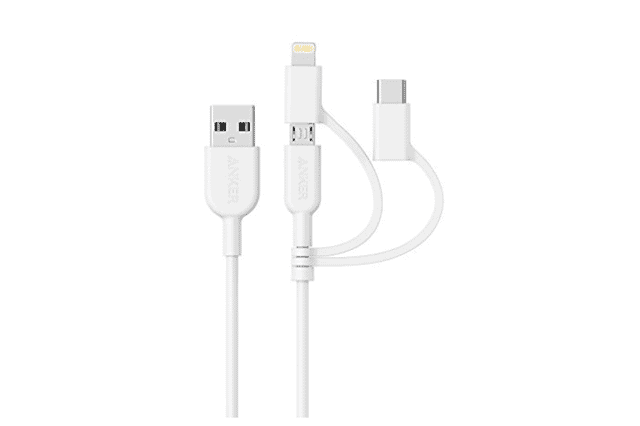
Anker Powerline II 3-in-1 Cable is a multi-tasker USB C cable best known for its universal connectivity. The all-in-one Anker is MFI certified from Apple. Amazon is so confident about its quality that it gives you a hassle-free lifetime warranty.
The toughened reinforcement protects internal wiring and prevents it from any trauma or damage. This 3-in-one connector comes with Micro USB, USB-C, and Lightning connectors so that you don’t have to carry an extra couple of wires all the time. If you need a one-for-all cable, Anker Powerline 3-in one is the best USB C cable to buy.
Transfer Rate: Charging Cable
Power: 2.4A Lightning and Micro USB and 3A for USB-C, the devices are charged at their fastest possible speed.
Length: 35.4 x 0.6 x 0.2 inches
[amazon box=”B071WNQYV6″ button template=”list”]List of Best USB C Adapters to Buy
For the ones looking beyond the best cables and interested in buying adapters, we have listed the best USB C adapters to choose from.
13. AUKEY USB C Adapter
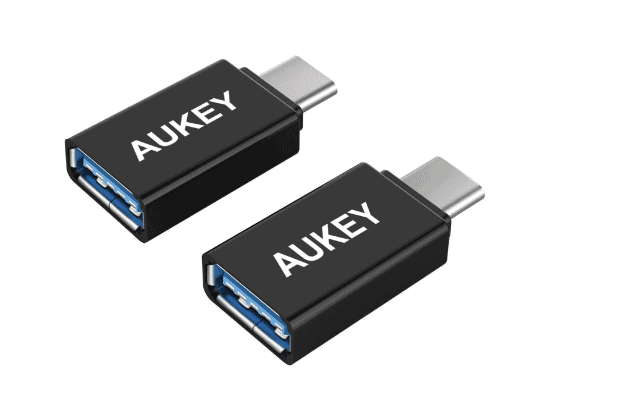
Aukey USB C Adapter comes in a pack of 2 to offer a superspeed connection between USB A to USB C devices. The USB 3.1 gen enables data transfer speed up to 5Gbps. There is USB OTG support to transfer videos, photos, music, and other files between USB-C handheld devices and USB-A peripheral without having a PC or laptop.
It is minimalistic in design and so lightweight that you can carry it wherever you go. The reversible cable is compatible with devices like MacBook Pro, Chromebook Pixel, ASUS Chromebook, etc.
[amazon box=”B01AUKU1OO” button template=”list”]14. AmazonBasics USB Type-C to USB 3.1
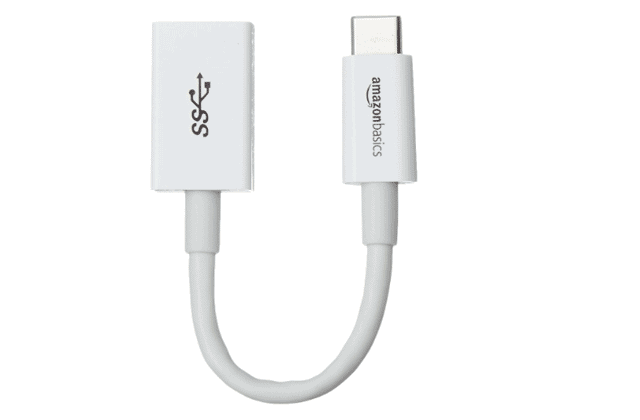
AmazonBasics USB Type C to USB 3.1 Gen 1 Female adapter is a perfect way to connect USB A to USB C enabled peripherals. However, the USB Type-A cable is not included. The female adapter ensures more convenient connections with a data transfer speed up to 5GBps.
The reversible design makes it hassle-free to let you insert the cable any side facing up. This USB C cable is certified by USB-IF to be compliant with USB 3.1 Gen standard and is backward compatible with USB 3.0 and 2.0. The adapter supports 3 Amps of power output and ensures fast charging to USB Type C enabled devices.
[amazon box=”B01GGKYYT0″ button template=”list”]15. HooToo USB C Hub

USB C Hub by HooToo supports pass-through charging of 100W. It comes with 4K Ultra HD HDMI port, 3 USB 3.0 ports, as well as a 5Gbps SD card slot. Brilliantly designed HooToo Adapter is reinforced with TPE cable coating and has a Mac-style activity indicator.
The USB ports do not charge an iPad or other tablets. Although it supports multiple flash drives, this USB adapter supports one external hard drive at one time due to the power requirements.
[amazon box=”B019R9ILTG” button template=”list”]16. Apple 61W USB-C Power Adapter
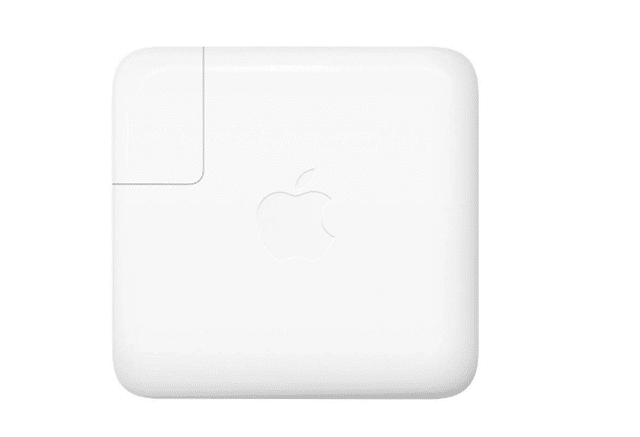
61W USB-C Power Adapter renders fast and efficient charging no matter if you are at home or in the office. The adapter is compatible with USB-C enabled devices, but it is recommended to pair it with your 13-inch MacBook Pro with Thunderbolt 3 (USB C) ports for best performance. The charging cable is sold separately by the brand.
It is a bit of an expensive deal when you see the range of standard adapters in the market. However, it is worth every penny.
[amazon box=”B07JZYWCTS” button template=”list”]17. Pixel 2 Headphone Adapter
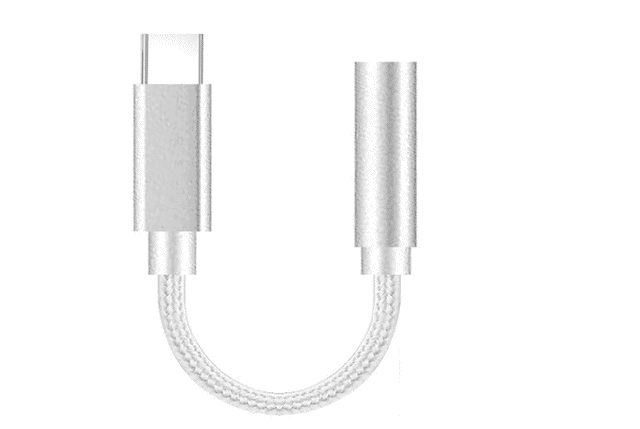
Using the Pixel 2 Headphone Adapter, you can use your favorite 3.5mm headphones with your Pixel and Pixel Slate. You can also connect the devices to your sound system to enjoy music at its best. TPE gives a sturdy build to this adapter.
The increased music playback time and reduced plug-in latency with Pixel are the features that bind you to buy this adapter at a reasonable cost. If you have a Pixel device or devices running Android P or higher, the Google USB C to 3.5 mm Adapter is one that you should look for.
[amazon box=”B07P5T7QTF” button template=”list”]18 CHOETECH USB C to Micro USB Adapter
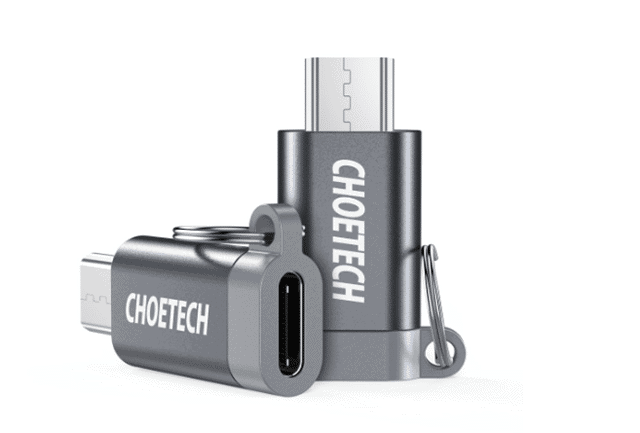
CHOETECH USB C to Micro USB Adapter is beautifully designed and allows you to charge and sync Micro USB devices using a Type C cable. It reduces the number of wires you need to carry with you and supports up to 2.4A of power with transfer speed up to 480Mbps. The adapter does not require any drivers or software installation and comes along with an 18-month hassle-free warranty.
It is compatible with Micro USB devices but not USB Type C devices, and also it does not support OTG function. However, it is a decent adapter at an affordable rate.
[amazon box=”B071L82JT8″ button template=”list”]You can also have a Quick Look at CHOETECH’s Mobile Accessories and How Well They Perform
19. Belkin 3.1
If you have a USB C enabled device at home, you can buy Belkin 3.1 USB-C to USB-C Cable for a high data transfer speed and faster charging.
The Belkin 3.1 renders transfer speeds up to 10Gbps, which is 20 times faster than USB 2.0 (480Mbps) and two times faster than USB 3.0 (5Gbps). These cables are specially made for USB-C enabled devices, and they are compatible with Thunderbolt™ 3 and Samsung Galaxy S8/S8+.
[amazon box=”B00WJSPCSG” button template=”list”]Final Thoughts
If you want to shift from Micro USB to USB Type C technology, the variety of type C cables and adapters that exist in the market have got you covered. The wires from various manufacturers may all look the same, but you must check the functionality and select the best USB C cable based on what your requirement is.
With different specs, protocols, and functionalities, these cables and adapters reduce the effort of carrying extra cables with you when you have devices with different ports.
And if your phone is not charging properly? Check the tips that will resolve the charging issue.
Also, check:
- What is the USB Type-C Connector Port and Why Apple Adopted it
- Best Micro USB Cables That You Will Need For Your Gadgets